Screenshot to video turns an existing image into a short animated sequence. Motion AI Video places your source screenshot inside code-rendered scenes and exports a 1080p MP4, up to 30 seconds. It suits app launches, game ads and product walkthroughs where the original interface and its wording need to remain recognizable.
PNG, JPEG or WebP · Up to 5 MB each · Sign in to upload
Start with a clear image and one action: reveal a feature, point to a benefit or finish with a readable invitation. Upload your screenshot in Studio, then describe how it should move.
Keep the original pixels, direct the motion
The screenshot is an image asset in a code-rendered scene. Its existing labels and interface pixels can be displayed directly, while code controls framing, scale, pointers and overlays. The interface does not need to be repainted frame by frame by a video model. Start with a sharp source, keep its proportions and avoid enlarging tiny labels beyond their original resolution.
This preserves the supplied image; it does not automatically separate buttons into editable layers or recover content behind an overlay. Ask for a crop, pan or highlight when that is enough, and review the exported MP4 at its intended viewing size.
Four source-backed input and output examples
These are external references, not produced by Motion AI Video. The three Ofox versions are one Ofox project with the same source screenshots and one original prompt requesting all three compositions. They are shown separately to explain framing, narration and portrait layout, not as three independent customer projects.
Game screen: a spin and reward sequence
Original screenshot
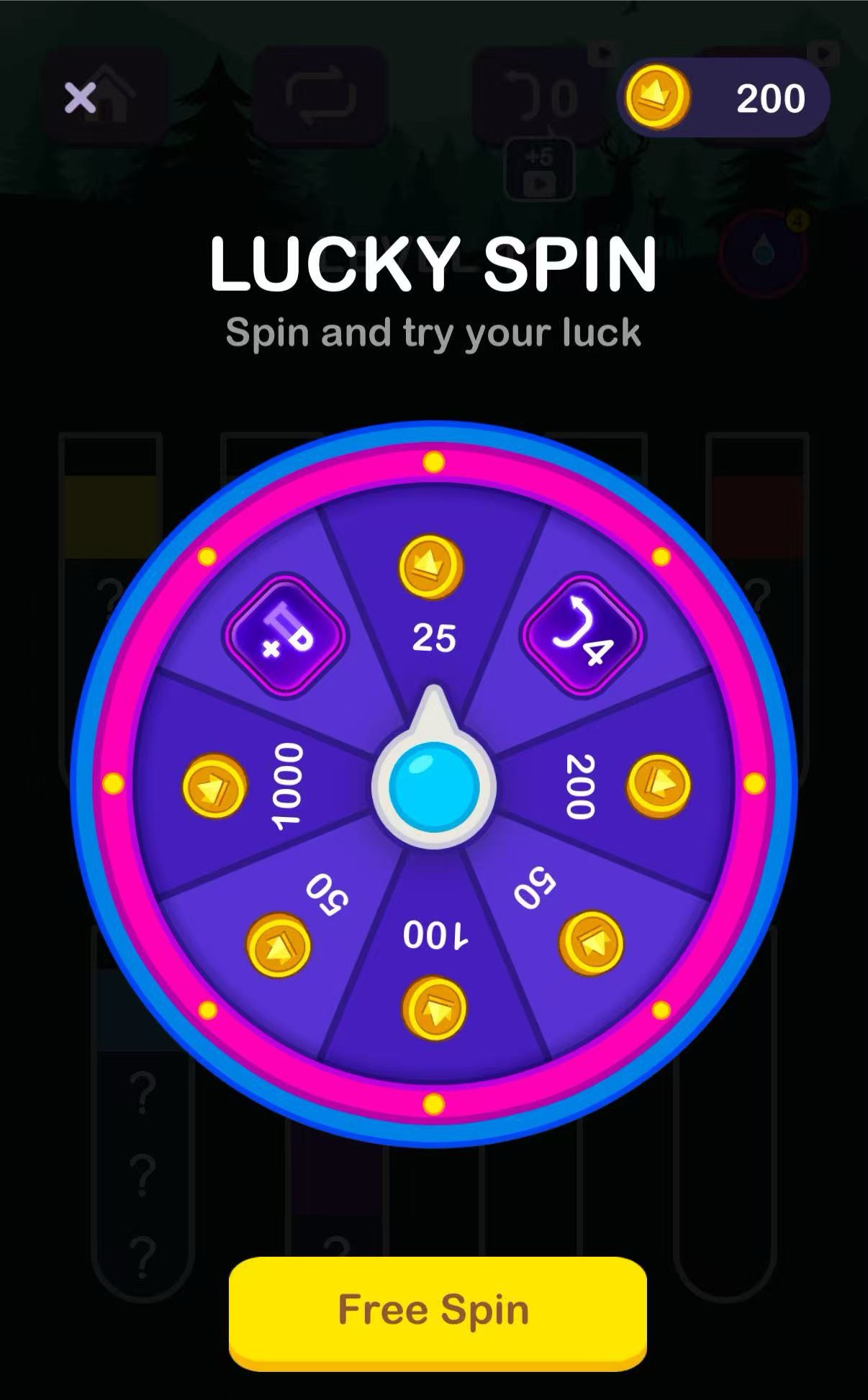
Original Lucky Spin game screenshot, before animation
Finished video
An existing Tellcut website demo pairs the source wheel screen with a short tap, spin and reward sequence. The original prompt is preserved below. Publication date is not available; this is not produced by Motion AI Video.
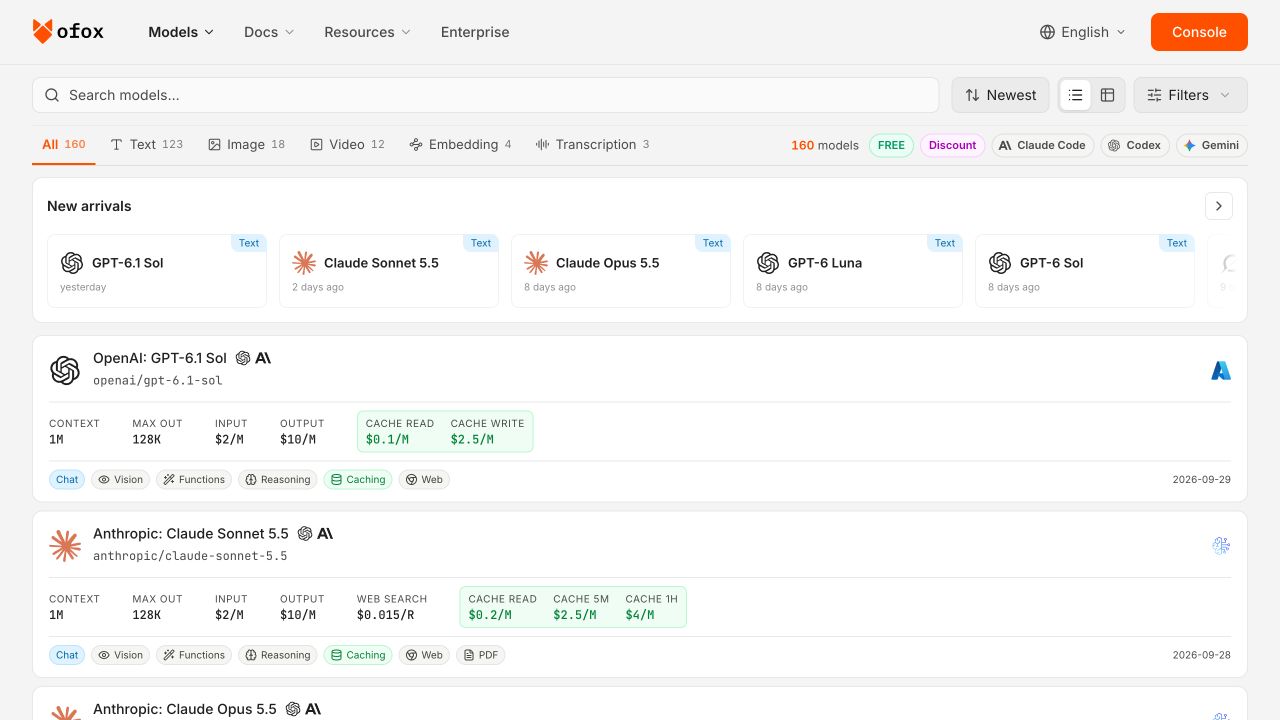
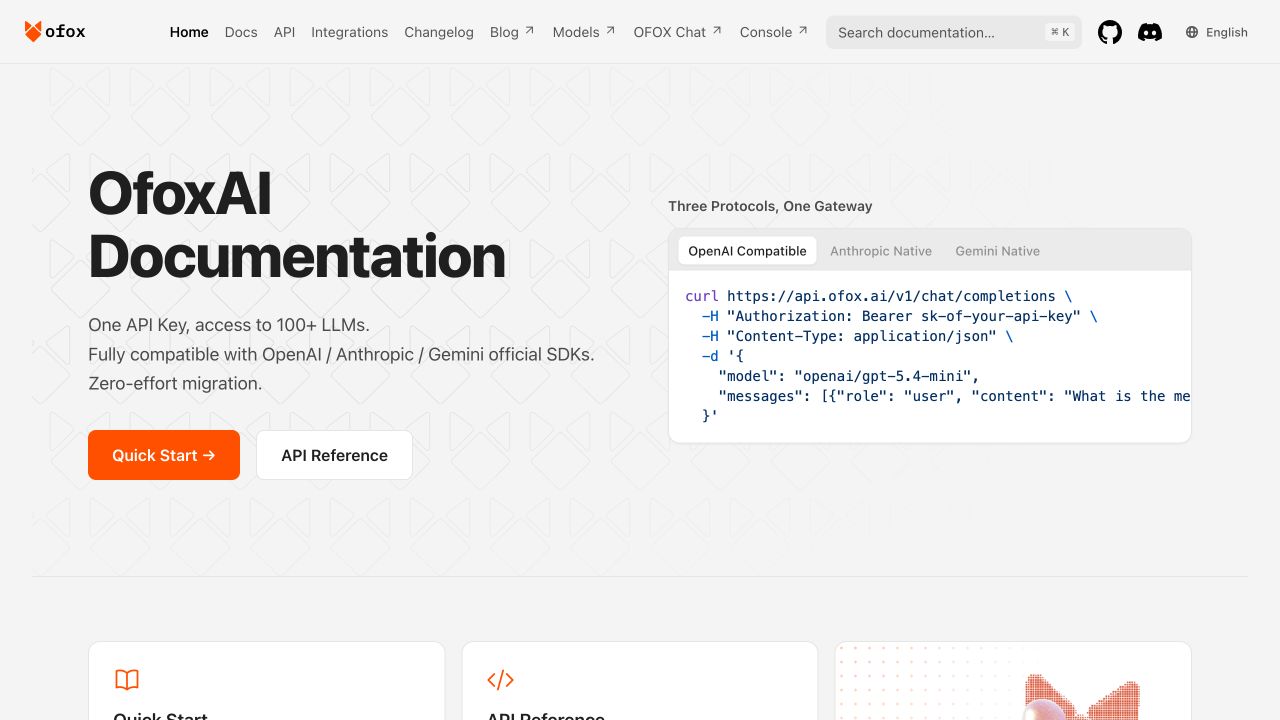
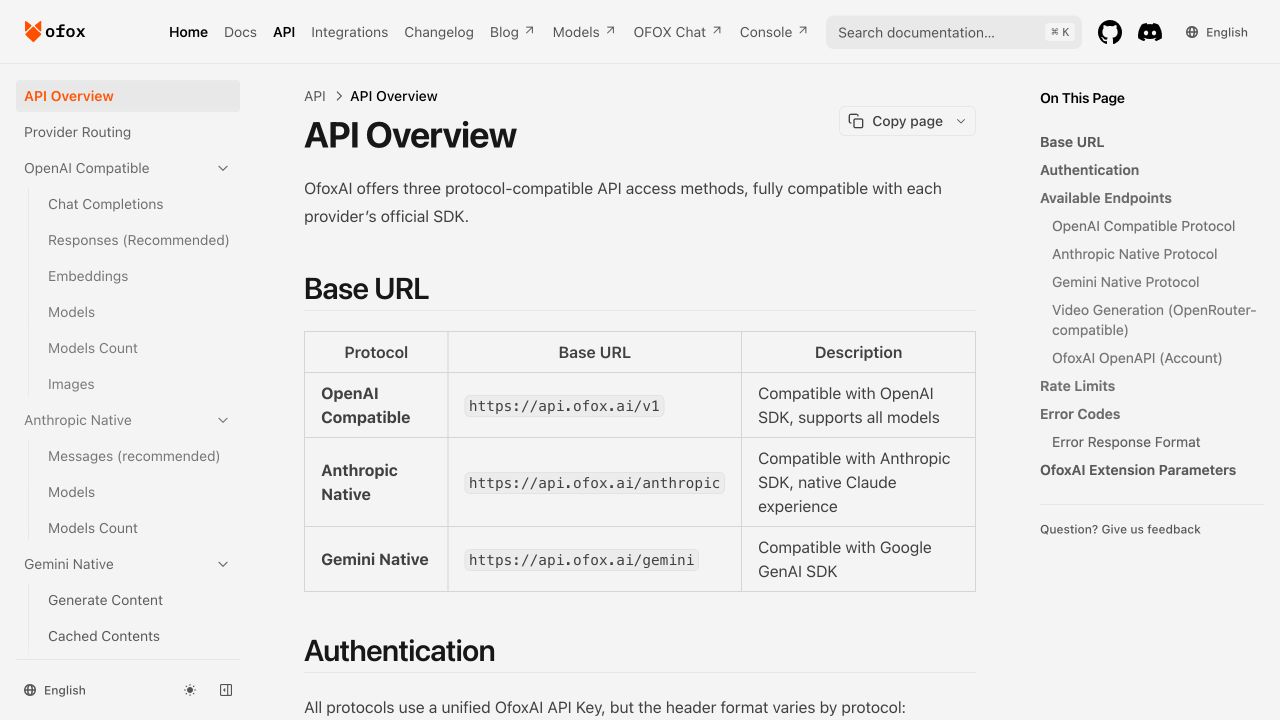
Original Ofox models webpage screenshot from the tutorial projectOriginal Ofox docs webpage screenshot from the tutorial projectOriginal Ofox api webpage screenshot from the tutorial project
Finished video
The shared original prompt explicitly defines this landscape composition, dimensions, frame rate and frame count. Its Audio flag is off. Claude Code wrote initial code from the source filenames and descriptions; Ofox supplied the real screenshots and editorial corrections, then rendered with Remotion. This external tutorial is not produced by Motion AI Video.
Write one complete src/index.tsx for a reproducible Remotion 4.0.424 project using React 19.1.0. Return ONLY a fenced tsx block, no tools. This is a real tutorial render, not an invented UI demo. Existing public files are actual unmodified Ofox website screenshots: models.png, docs.png, api.png, each1280x720. Do NOT draw fake UI. Use Img/staticFile to display them. We will supply narration.wav later. No dependency except remotion and react.

Create polished orange/cream/ink editorial motion graphics: brand #ff6b2b, ink #202323, cream #fffaf4. Register 3 compositions: DemoLandscape (1280x720, 30fps, 900frames), DemoNarrated (1280x720, same 900frames, adds Audio from remotion with staticFile('narration.wav') and manual sentence captions), DemoPortrait (720x1280, same900frames, rearranged layout, same narration and captions). Defaults must need no extra props. Drive everything by useCurrentFrame()/useVideoConfig(), deterministic interpolate/spring, never CSS animation, no network or Math.random.

Story for a restrained 30-second public-site walkthrough:
0-4 seconds: bold hook 'One brief. A clear demo.' and three outlined framing rectangles, no screenshot.
4-11 seconds: 'Explore the catalog' showing models.png; reveal only its top 320 pixels in an overflow-hidden crop (the lower image contains dynamic prices, which must not appear). Source crop has aspect4:1. Do not stretch; use wrapper/scale/original aspect carefully. Show small label 'Public website capture · Sep 30, 2026'.
11-18: 'Find the documentation' with docs.png, full screenshot but prioritize readability.
18-25: 'Read the API reference' with api.png, full screenshot, no fake cursor clicks or claim that any API request executed.
25-30: strong close 'Plan. Build. Verify.' and ofox.ai/models small CTA.

In portrait, stack heading, screenshot and caption rather than center-crop the landscape frame; safe content x>=48,x<=672, y>=90,y<=1080. Captions font30 portrait /28 landscape, two lines max, solid contrast dark band. Keep screenshots proportional and separate from typography; source catalog crop must stay top320. Use subtle camera scale <=1.03 and opacity between scenes, never obscure readable content. Landscape uses main screenshot width1120 and centered; portrait useswidth624. Draw editorial framing only, not UI recreation. Portrait headings <=58px, landscape<=64px, generous line-height.

Narration schedule in seconds (provided audio is pre-aligned to these starts):
0.35-3.60 'A clear product video starts with a clear brief.'
4.35-9.80 'Show the real interface. Here, we begin with the model catalog.'
11.35-16.80 'Then show where a viewer can find the documentation.'
18.35-23.80 'Connect each scene to an actual page, such as this API reference.'
25.35-29.50 'Keep the message simple. Plan, build, and verify.'
Implement captions by explicit start/end and do not animate word timings you do not have. Audio include only when narrated=true. Use identical scene boundaries for all3.
Original Ofox models webpage screenshot from the tutorial projectOriginal Ofox docs webpage screenshot from the tutorial projectOriginal Ofox api webpage screenshot from the tutorial project
Finished video
The shared original prompt explicitly defines a second landscape composition adding narration.wav and manual sentence captions; the narration schedule is in the same prompt. Claude Code wrote initial code from the source filenames and descriptions; Ofox supplied the real screenshots and editorial corrections, then rendered with Remotion. This external tutorial is not produced by Motion AI Video.
Write one complete src/index.tsx for a reproducible Remotion 4.0.424 project using React 19.1.0. Return ONLY a fenced tsx block, no tools. This is a real tutorial render, not an invented UI demo. Existing public files are actual unmodified Ofox website screenshots: models.png, docs.png, api.png, each1280x720. Do NOT draw fake UI. Use Img/staticFile to display them. We will supply narration.wav later. No dependency except remotion and react.

Create polished orange/cream/ink editorial motion graphics: brand #ff6b2b, ink #202323, cream #fffaf4. Register 3 compositions: DemoLandscape (1280x720, 30fps, 900frames), DemoNarrated (1280x720, same 900frames, adds Audio from remotion with staticFile('narration.wav') and manual sentence captions), DemoPortrait (720x1280, same900frames, rearranged layout, same narration and captions). Defaults must need no extra props. Drive everything by useCurrentFrame()/useVideoConfig(), deterministic interpolate/spring, never CSS animation, no network or Math.random.

Story for a restrained 30-second public-site walkthrough:
0-4 seconds: bold hook 'One brief. A clear demo.' and three outlined framing rectangles, no screenshot.
4-11 seconds: 'Explore the catalog' showing models.png; reveal only its top 320 pixels in an overflow-hidden crop (the lower image contains dynamic prices, which must not appear). Source crop has aspect4:1. Do not stretch; use wrapper/scale/original aspect carefully. Show small label 'Public website capture · Sep 30, 2026'.
11-18: 'Find the documentation' with docs.png, full screenshot but prioritize readability.
18-25: 'Read the API reference' with api.png, full screenshot, no fake cursor clicks or claim that any API request executed.
25-30: strong close 'Plan. Build. Verify.' and ofox.ai/models small CTA.

In portrait, stack heading, screenshot and caption rather than center-crop the landscape frame; safe content x>=48,x<=672, y>=90,y<=1080. Captions font30 portrait /28 landscape, two lines max, solid contrast dark band. Keep screenshots proportional and separate from typography; source catalog crop must stay top320. Use subtle camera scale <=1.03 and opacity between scenes, never obscure readable content. Landscape uses main screenshot width1120 and centered; portrait useswidth624. Draw editorial framing only, not UI recreation. Portrait headings <=58px, landscape<=64px, generous line-height.

Narration schedule in seconds (provided audio is pre-aligned to these starts):
0.35-3.60 'A clear product video starts with a clear brief.'
4.35-9.80 'Show the real interface. Here, we begin with the model catalog.'
11.35-16.80 'Then show where a viewer can find the documentation.'
18.35-23.80 'Connect each scene to an actual page, such as this API reference.'
25.35-29.50 'Keep the message simple. Plan, build, and verify.'
Implement captions by explicit start/end and do not animate word timings you do not have. Audio include only when narrated=true. Use identical scene boundaries for all3.
Original Ofox models webpage screenshot from the tutorial projectOriginal Ofox docs webpage screenshot from the tutorial projectOriginal Ofox api webpage screenshot from the tutorial project
Finished video
The shared original prompt explicitly defines this portrait composition with rearranged layout, the same narration and captions, and stacked heading/screenshot/caption blocks. Final editorial corrections add narrower documentation/API crops. Claude Code wrote initial code from the source filenames and descriptions; Ofox supplied the real screenshots and editorial corrections, then rendered with Remotion. This external tutorial is not produced by Motion AI Video.
Write one complete src/index.tsx for a reproducible Remotion 4.0.424 project using React 19.1.0. Return ONLY a fenced tsx block, no tools. This is a real tutorial render, not an invented UI demo. Existing public files are actual unmodified Ofox website screenshots: models.png, docs.png, api.png, each1280x720. Do NOT draw fake UI. Use Img/staticFile to display them. We will supply narration.wav later. No dependency except remotion and react.

Create polished orange/cream/ink editorial motion graphics: brand #ff6b2b, ink #202323, cream #fffaf4. Register 3 compositions: DemoLandscape (1280x720, 30fps, 900frames), DemoNarrated (1280x720, same 900frames, adds Audio from remotion with staticFile('narration.wav') and manual sentence captions), DemoPortrait (720x1280, same900frames, rearranged layout, same narration and captions). Defaults must need no extra props. Drive everything by useCurrentFrame()/useVideoConfig(), deterministic interpolate/spring, never CSS animation, no network or Math.random.

Story for a restrained 30-second public-site walkthrough:
0-4 seconds: bold hook 'One brief. A clear demo.' and three outlined framing rectangles, no screenshot.
4-11 seconds: 'Explore the catalog' showing models.png; reveal only its top 320 pixels in an overflow-hidden crop (the lower image contains dynamic prices, which must not appear). Source crop has aspect4:1. Do not stretch; use wrapper/scale/original aspect carefully. Show small label 'Public website capture · Sep 30, 2026'.
11-18: 'Find the documentation' with docs.png, full screenshot but prioritize readability.
18-25: 'Read the API reference' with api.png, full screenshot, no fake cursor clicks or claim that any API request executed.
25-30: strong close 'Plan. Build. Verify.' and ofox.ai/models small CTA.

In portrait, stack heading, screenshot and caption rather than center-crop the landscape frame; safe content x>=48,x<=672, y>=90,y<=1080. Captions font30 portrait /28 landscape, two lines max, solid contrast dark band. Keep screenshots proportional and separate from typography; source catalog crop must stay top320. Use subtle camera scale <=1.03 and opacity between scenes, never obscure readable content. Landscape uses main screenshot width1120 and centered; portrait useswidth624. Draw editorial framing only, not UI recreation. Portrait headings <=58px, landscape<=64px, generous line-height.

Narration schedule in seconds (provided audio is pre-aligned to these starts):
0.35-3.60 'A clear product video starts with a clear brief.'
4.35-9.80 'Show the real interface. Here, we begin with the model catalog.'
11.35-16.80 'Then show where a viewer can find the documentation.'
18.35-23.80 'Connect each scene to an actual page, such as this API reference.'
25.35-29.50 'Keep the message simple. Plan, build, and verify.'
Implement captions by explicit start/end and do not animate word timings you do not have. Audio include only when narrated=true. Use identical scene boundaries for all3.
Upload a clear screenshot you own or have permission to use.
State what viewers should notice, the sequence of actions, aspect ratio and reading pauses.
Review the storyboard and preview. Select a scene for changes, then export the version you approve.
For example: “Use my app screenshot unchanged. Pan from the project list to the calendar, add the words ‘A clearer week’, then hold the final screen for two seconds.” This is a suggested starting brief, separate from the original prompts above.
When screenshot animation is not the right tool
Choose a video generation model or a filmed shoot for live-action people, complex physical interactions or a continuous cinematic take. A flattened screenshot does not contain editable UI layers or hidden states. Small or blurry source text stays limited by the original image; excessive zoom and compression can still reduce legibility. This product exports MP4, not an interactive app or a layered editing project.